Best Mobile Locator Apps for Safe Phone Tracking
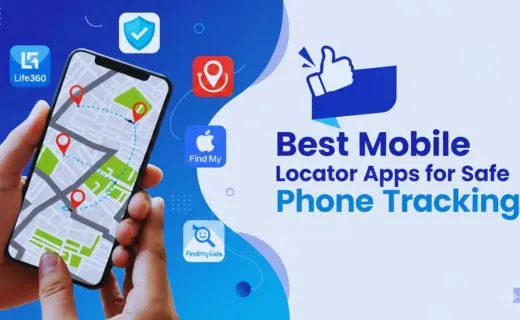
The need to stay connected and secure has never been greater. Mobile phones have become essential tools for communication, work, and even personal safety. However, losing a device or worrying about the safety of loved ones can be a source of stress. This is where mobile locator apps come into play. They offer an efficient way to track devices, monitor family members, and ensure peace of mind.
These apps use GPS technology, Wi-Fi networks, and mobile data to provide real-time location tracking. Whether it’s keeping tabs on children, finding a lost phone, or monitoring employees, mobile locator apps serve multiple purposes. They allow users to access location information instantly, often with added features like SOS alerts, geofencing, and location history. With privacy and security features integrated, these apps ensure that safety does not come at the cost of personal data.
What Are Mobile Locator Apps?
Mobile locator apps are applications installed on smartphones that enable users to track the location of a device in real time. They rely on a combination of GPS, cellular networks, and Wi-Fi signals to pinpoint the phone’s location. Many of these apps offer features like remote locking, SOS alerts, and device recovery.
Primarily, mobile locator apps are used for:
- Family safety: Parents can monitor children’s locations.
- Device recovery: Finding lost or stolen phones.
- Employee management: Tracking company-provided devices.
By integrating these apps into daily life, users can ensure their devices and loved ones are always within a secure zone.
Read More: Best UPI Payment App for Teenager: Safe Digital Payments
Top Features of Mobile Locator Apps
| Feature | Purpose | Benefit |
| Real-Time Tracking | View current location | Immediate safety monitoring |
| Geofencing | Alerts on entering or leaving areas | Prevents unauthorized movement |
| SOS Alerts | Emergency notifications | Quick help in urgent situations |
| Location History | Track past movements | Review patterns and ensure accountability |
These features make mobile locator apps versatile tools for families, businesses, and individuals. Real-time tracking and geofencing are particularly valuable for parents monitoring their children or employees in remote work setups.
Best Mobile Locator Apps for Android & iOS
Here are some of the most trusted mobile locator apps for 2025:
- Life360 – Ideal for family tracking with real-time location sharing, place alerts, and crash detection.
- Google Find My Device – Best for Android users to locate lost devices, lock them remotely, or erase data if stolen.
- Apple Find My iPhone – Offers similar features for iOS users, including location tracking and remote locking.
- Famisafe – Combines location tracking with parental control, app monitoring, and screen time management.
- GeoZilla – Enables group location sharing and activity history, making it great for families and groups of friends.
Each app has its strengths, making them suitable for different user needs.
How Mobile Locator Apps Help Keep Family Safe
One of the main reasons people use mobile locator apps is family safety. Parents can check their children’s location in real-time, receive alerts when they enter or leave specific zones, and even track their phone’s battery status.
For example, Life360 allows parents to create “Circles” for family members. Each member shares their location, and parents can set geofencing alerts for school, playgrounds, or friends’ houses. This ensures children are safe and reachable at all times without constantly calling or texting.
Mobile locator apps also help families coordinate during emergencies. An SOS alert can immediately notify all family members, sharing precise location coordinates.
Mobile Locator Apps for Lost or Stolen Phones
| App | Features | Pros | Cons |
| Find My Device | Remote lock, GPS tracking | Easy to use | Android only |
| Prey Anti-Theft | GPS, remote wipe, alarms | Multi-device support | Free version limited |
| Find My iPhone | GPS, Lost Mode | Integrated with iOS | Apple devices only |
Mobile locator apps can save both devices and valuable data. For instance, if a phone is stolen, apps like Prey Anti-Theft allow users to lock the device remotely, erase sensitive data, or even sound an alarm to recover it.
Real-Time Tracking and Geofencing
Real-time tracking is one of the most important features for safety and convenience. It allows you to see exactly where a device is at any moment. Apps like Life360 or GeoZilla offer live maps, showing movement updates continuously.
Geofencing lets users set up virtual boundaries. When a tracked device enters or leaves a specified area, the app sends instant notifications. Parents, for example, can set geofencing around school zones or play areas to ensure children’s safety. Businesses can also use geofencing to manage company assets efficiently.
Privacy and Security Considerations
While mobile locator apps are helpful, they also raise privacy concerns. Users should ensure:
- Consent: Everyone being tracked knows and agrees to it.
- Data security: Choose apps with strong encryption and secure servers.
- Legal compliance: Avoid tracking employees or individuals without permission.
Responsible use ensures that mobile locator apps enhance safety without compromising personal privacy.
Comparing Paid vs Free Mobile Locator Apps
| Category | Features | Pricing | Limitations |
| Free | Basic location tracking | Free | Limited history, ads |
| Paid | Advanced features (SOS, geofencing, history) | $5–$15/month | Monthly cost |
Paid versions often provide additional safety features, including detailed location history, multiple device support, and advanced alerts. Free versions are useful for basic tracking but may lack some functionalities.
Tips for Choosing the Right Mobile Locator App
When selecting a mobile locator app, consider:
- Compatibility – Ensure the app works on Android and iOS.
- Features – Choose based on your needs: family safety, device recovery, or employee monitoring.
- Battery Efficiency – Apps using constant GPS can drain battery, so check for optimized versions.
- User Reviews – Look at ratings and feedback to ensure reliability.
- Privacy Policy – Confirm the app uses encryption and stores data securely.
Following these tips helps users select apps that are both effective and safe.
Future of Mobile Locator Apps
Mobile locator apps are evolving rapidly. New trends include:
- AI-based predictive tracking – predicting movement patterns for safety.
- Smartwatch integration – tracking wearable devices alongside phones.
- Emergency service integration – directly alerting authorities in crises.
As technology advances, mobile locator apps will continue to improve personal safety, streamline device management, and integrate more seamlessly into everyday life.
Conclusion
Mobile locator apps are indispensable tools in the modern digital era. They provide real-time tracking, geofencing, SOS alerts, and parental controls, making them ideal for family safety, device recovery, and professional monitoring. Choosing the right app depends on your specific needs, device compatibility, and desired features.
Used responsibly, mobile locator apps offer peace of mind, ensuring that loved ones are safe and devices are secure. By selecting a reliable app, understanding its features, and following ethical tracking practices, users can fully benefit from modern location tracking technology.
FAQs
Q1: Are mobile locator apps safe to use?
Ans: Yes, as long as they are used legally and with consent. Choose trusted apps with secure data policies.
Q2: Can mobile locator apps track phones without internet?
Ans: Limited tracking is possible with GPS alone, but real-time updates require internet connectivity.
Q3: Do mobile locator apps work on all devices?
Ans: Most support Android and iOS. Check compatibility before installing to ensure proper functionality.
Q4: Can I track my child’s phone without them knowing?
Ans: Apps allow discreet tracking, but informing the child is recommended for legal and ethical reasons.
Q5: Which is the best free mobile locator app?
Ans: Google Find My Device for Android and Apple Find My iPhone for iOS are top free options.
Q6: Do these apps drain battery quickly?
Ans: Apps using constant GPS can drain battery, but many optimize location updates to save power.
Q7: Can mobile locator apps help recover a stolen phone?
Ans: Yes, apps like Prey Anti-Theft and Find My Device allow remote location tracking, locking, and data wiping.