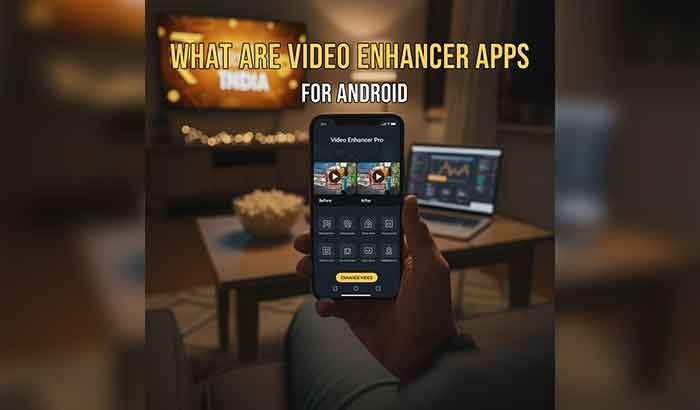
What Are Video Enhancer Apps for Android?
Smartphone videos have become a huge part of our daily lives. From family celebrations to Instagram Reels and YouTube shorts, we capture everything using our Android devices. But not every clip turns out perfect, sometimes the video looks blurry, dark, shaky, or pixelated. This usually happens because of low light, poor camera settings, or compression when uploading or sharing online.
This is where video enhancer apps for Android make a major difference. These apps use smart technology, including AI upscaling and noise reduction, to quickly improve the quality of your videos. With just one tap, you can turn low-resolution footage into a sharp and vibrant HD or 4K version. Whether you’re polishing your social media content or restoring old family memories, video enhancers help your videos look more professional and visually appealing.
Video enhancer apps for android are smart tools that improve video clarity, brightness, detail, color, resolution, and smoothness using advanced video processing techniques, often powered by Artificial Intelligence.
These apps can:
- Boost low resolution into HD or 4K
- Sharpen blurred footage
- Correct lighting issues
- Remove noise and grain
- Stabilize shaky camera motion
- Improve face details
- Recover lost pixels in old videos
Read More: How to Hide App in Android Phone
Why Do Videos Lose Quality on Android?
Even high-end Android phones struggle in certain conditions:
| Cause | Effect |
| Low light | Grain and noise in the video |
| Fast movement | Motion blur and shaky frames |
| Digital zoom | Pixelated footage |
| Compression | Reduced detail when saving/uploading |
| Old cameras | Low resolution output |
| WhatsApp/TikTok uploads | Quality drops due to platform compression |
Who Should Use Video Enhancer Apps?
These apps are perfect for:
- Mobile content creators (TikTok, YouTube, Instagram Reels)
- Vloggers filming daily life
- Anyone with old or low-quality videos
- People wanting better home movie memories
- Users need quick editing before publishing.
How Video Enhancer Apps Work (Simple Explanation)
Behind the scenes, most video enhancer apps for android use AI-powered video processing to improve overall quality. This means the app analyzes each frame and makes smart corrections.
Here’s how it works step-by-step:
| Enhancement Process | What Happens |
| Frame Analysis | AI identifies blur, noise, motion & lighting problems |
| Pixel Restoration | Lost details are rebuilt using reference learning |
| Color Mapping | Highlights, shadows & contrast are improved |
| Noise Filtering | Removes random grain & digital artifacts |
| Motion Stabilization | Shaky clips are corrected smoothly |
| Upscaling | Converts low-resolution videos into HD/4K format |
Types of Video Enhancement on Android
| Enhancement Type | Use Case | Result |
| Upscaling (AI HD/4K) | Low-resolution videos | Sharper details |
| Stabilization | Shaky handheld shots | Smooth motion |
| Denoising | Night or indoor footage | Clean visuals |
| Brightness/Color Fix | Dull or over-exposed clips | Realistic & vivid output |
| Face Enhancement | People-focused videos | Clear expressions |
| Frame Boosting | Fast-motion scenes | Smoother slow motion |
How to Improve Video Quality on Android
Follow this 5-step quick enhancement guide:
- Choose the right app (Remini or CapCut recommended)
- Import your raw video into the app
- Select Enhance or AI Upscale
- Adjust brightness, saturation & sharpness
- Export in at least 1080p (Full HD) or 4K if supported
Best Enhancement Settings for Different Video Styles
| Video Type | Recommended Export |
| Social media Reels/TikTok | 1080p, 30/60 FPS |
| Travel or nature videos | 4K, 60 FPS |
| Low light recordings | 1080p with denoise on |
| Fast-action scenes | 1080p or 4K with stabilization |
| Family memories | Auto enhance + face clarity |
SNS Optimization (YouTube / TikTok / Instagram)
Since many users upload enhanced videos to social platforms:
| Platform | Best Quality Upload Setting |
| YouTube | 4K or 1080p, High bitrate |
| TikTok | 1080p vertical (9:16) |
| Instagram Reels | 1080 x 1920, 30–60 FPS |
| 720p or 1080p |
Export using H.264 or HEVC/H.265 codec
for best compatibility & smallest file size.
Monetization Strategy for Websites Targeting This Topic
Since your article is monetization-focused, here’s a successful strategy:
| Monetization Method | Example |
| Affiliate links | Google Play apps, software subscriptions |
| Display ads | Google AdSense/Media.net |
| Sponsored articles | Brands contact you |
| Download buttons | Track installs via link |
✔ Add download CTAs under each app review
✔ Include a comparison table (already included)
✔ Add “Best Choice” + “Editor’s Pick” labels
Key Features of the Best Video Enhancer Apps for Android
Some apps also include full video editing tools for transitions, filters, music, and captions. Here’s what you can expect from a powerful enhancer app:
| Feature | Benefit |
| AI upscaling (HD/4K) | More detail, sharper look |
| Noise reduction | Cleaner visuals in low-light videos |
| Stabilization | Smooth motion for handheld clips |
| Auto enhancement | One-tap improvement |
| Color boosting | Realistic and vivid visuals |
| Frame interpolation | Smoother playback and slow motion |
| Face enhancement | Clearer people/faces in the frame |
Top Best Video Enhancer Apps for Android
Here are the best video enhancer apps for android, tested and rated for clarity, simplicity, and output quality:
Remini
Best for: AI clarity improvement & HD/4K upscaling
Remini is a popular AI enhancer that can fix blurry videos and improve every pixel of your footage.
Features:
- AI detail recovery
- Face enhancement
- Old video restoration
- Smooth output rendering
✅ Pros
✔ Sharp improvement in quality
✔ Simple interface
✔ Powerful AI technology
❌ Cons
✘ Watermark in free mode
✘ Cloud processing requires internet
⭐ Rating: 4.7/5
CapCut
Best for: Creators who want quality + editing
A strong enhancer + full video editor with effects and stabilization.
Pros:
- HD export options
- Color tuning & clarity filters
- Trending social templates
Cons:
- Some features require a learning curve
⭐ Rating: 4.6/5
VN Video Editor
Best for: Smooth enhancement + editing
Pros:
- Stabilization tool
- Color presets
- Noise reduction
Cons:
- Enhancement effects limited vs AI tools
⭐ Rating: 4.5/5
InShot
Best for: Basic clarity and color upgrades
Great for fixing brightness and contrast
⭐ Rating: 4.5/5
Vidma Video Enhancer
Best for: Anti-shake + clarity increase
Offers stabilization and sharpness enhancement.
⭐ Rating: 4.4/5
AI Video Enhancer
Best for: Automatic improvement
One-tap processing for blurry videos.
⭐ Rating: 4.3/5
Wink
Best for: Face enhancement in videos
Built-in denoise and detail boost
⭐ Rating: 4.4/5
PowerDirector
Best for: Exporting true HD and 4K results
Professional-style editing
⭐ Rating: 4.6/5
VideoShow
Best for: Social media upgrades
Great for quick clarity improvement before uploading.
⭐ Rating: 4.5/5
Videoshop
Best for: Color and lighting correction
⭐ Rating: 4.4/5
Video Enhance AI (Desktop + Mobile)
Best for: Professional restoration needs
The strongest AI engine here — perfect for old family footage
⭐ Rating: 4.8/5
Lumii & Lightleap Bundles
Best for: Cinematic looks
Enhances mood and tone
⭐ Rating: 4.3/5
Comparison Table
| App | Best Feature | Ease of Use | Output Quality |
| Remini | AI HD upscaling | ⭐⭐⭐⭐ | ⭐⭐⭐⭐⭐ |
| CapCut | Editing + enhancing | ⭐⭐⭐⭐ | ⭐⭐⭐⭐ |
| PowerDirector | True 4K export | ⭐⭐⭐ | ⭐⭐⭐⭐⭐ |
| Wink | Face clarity | ⭐⭐⭐⭐⭐ | ⭐⭐⭐⭐ |
| Video Enhance AI | Full restoration | ⭐⭐ | ⭐⭐⭐⭐⭐ |
How to Choose the Right Video Enhancer App
Ask yourself:
✅ Do I want AI results or simple edits?
✅ Do I need HD or 4K export?
✅ Do I mind watermarks?
✅ Do I need offline enhancement?
✅ Do I want full editing features?
Tips for the Best Enhancement Results
- Record the highest resolution your phone supports
- Avoid digital zoom while shooting
- Stabilize your phone using a tripod or steady hands
- Ensure good lighting
- Export in 1080p or 4K for professional quality
Wrapping Up
In today’s world, high-quality visuals matter more than ever. With the right video enhancer apps for Android, you can fix blurry shots, enhance colors, stabilize motion, and upgrade overall clarity without needing expensive editing software. These apps make it easy for beginners and content creators to improve videos directly on their phones, saving both time and effort.
So, if you want your videos to stand out and look their best, try one of the recommended apps and see the transformation yourself. Whether you’re upgrading old memories or creating fresh new content, enhanced video quality will give your stories more impact. Download a video enhancer app today, and make every moment look amazing.
FAQs About Video Enhancer Apps for Android
Q1. What are video enhancer apps for Android?
Ans: Video enhancer apps for Android are tools that improve video quality by using AI to sharpen details, reduce noise, fix lighting issues, and upscale resolution to HD or 4K.
Q2. Can video enhancer apps fix blurry videos?
Ans: Yes. Many AI-based apps can restore lost details and improve sharpness, especially in videos where the subject is slightly out of focus.
Q3. Do these apps increase video resolution?
Ans: Most video enhancers support HD, Full HD, and 4K upscaling, making low-resolution video appear clearer and more detailed.
Q4. Which is the best free video enhancer app for Android?
Ans: Popular free options include Remini, CapCut, and InShot. They offer strong enhancement results, but advanced features may require a subscription.
Q5. Do video enhancer apps remove noise in dark videos?
Ans: Yes. Noise reduction filters clean up grainy footage, especially in low-light environments, to make videos look smoother and more professional.
Q6. Can I use these apps offline?
Ans: Basic enhancement features may work offline, but advanced AI enhancement usually requires internet connectivity for processing.
Q7. Will enhancing a video reduce its original quality?
Ans: No. The enhancement creates a new improved file. The original video remains unchanged unless you choose to overwrite it.
Q8. Are video enhancer apps safe to use?
Ans: Apps downloaded from the Google Play Store are generally safe. Always check reviews and permissions before installation.