Call recording backup app for mobile recording and storage
Every phone call we make carries some form of importance. It could be a casual conversation, a business discussion, a client briefing, a bank query, a customer service call, or even a personal emotional moment with a loved one. Once the call ends, the information is gone—unless we manually note it or record it.
The people communicate more through voice calls than written messages. Instructions are shared on calls, decisions are made verbally, and misunderstandings occur easily when details are forgotten. This is why many professionals and individuals rely on a Call Recording Backup App to save their phone conversations safely and access them anytime.
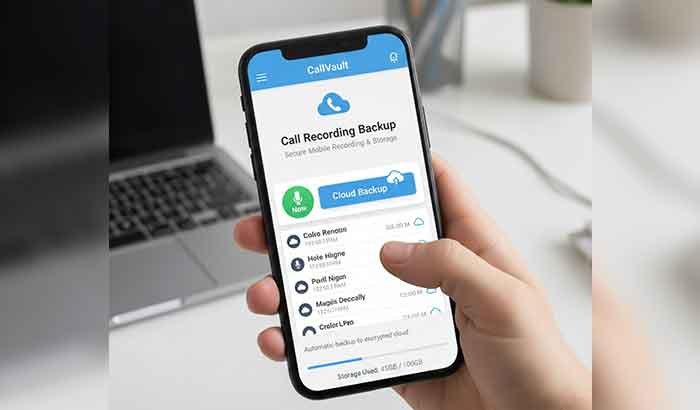
A Call Recording Backup App for mobile recording and storage allows users to record incoming and outgoing calls automatically or manually and store them either on the device or in the cloud. This ensures that important call details, promises, agreements, and discussions remain accessible long after the call is finished.
Whether you are a freelancer, business owner, student, parent, service professional, or simply someone who values keeping records, a call recording backup app becomes a helpful companion for memory, accuracy, and security.
What is a Call Recording Backup App?
A Call Recording Backup App is a mobile application designed to:
- Record voice calls in the background
- Save recordings in phone memory or cloud storage
- Help users replay, organize, and share the recordings
- Offer security like PIN lock or encryption
- Maintain call logs with caller name, duration, and timestamp
It is like having a digital communication diary that automatically saves everything spoken during phone calls. Instead of relying on memory or manually writing notes, the app creates a reliable voice record of calls that can be accessed whenever needed.
Why Are These Apps Becoming Popular?
In both personal and professional environments, call recording is no longer a luxury—it has become a necessity.
Some common reasons include:
✔ Business calls sometimes contain terms, figures, or deadlines that must be followed accurately
✔ Clients often share instructions verbally
✔ Customer service calls may need to be referenced later
✔ Individuals may want proof of discussions
✔ Legal, dispute, or contract-based conversations need traceable evidence
The most important point is: Recorded calls help people avoid misunderstandings and ensure clarity.
Who Uses Call Recording Backup Apps?
These apps are used by a wide range of users. Some common groups include:
1. Business Professionals
They need accurate records of:
- Sales calls
- Client meetings
- Project instructions
- Negotiations
A recording ensures nothing important is missed.
2. Freelancers & Service Providers
Freelancers often handle multiple clients and need references to:
- Revision requests
- Task updates
- Deadlines
- Feedback
A stored recording eliminates confusion.
3. Customer Support & Service Teams
Support agents may need recordings for:
- Complaint verification
- Escalation
- Training
- Service audit
4. Students
They may use recordings to:
- Save verbal explanations
- Record mentoring sessions
- Keep project discussions safe
5. Journalists & Content Creators
Interviews and voice notes become easier to manage.
6. Individuals
Even personal users may record calls to:
- Store emotional memories
- Keep communication history
- Protect themselves in risky situations
How Does a Call Recording Backup App Work?
Although every app has its own design, most follow a general working system:
Automatic or Manual Recording
Users can choose:
- Auto-record all calls
- Only record selected contacts
- Turn on/off in individual situations
Saving the Call
Once the call ends, the app saves the recording into:
- Phone storage
- SD card
- Or cloud (like Google Drive / Dropbox)
Organization
The app organizes files by:
- Caller name
- Phone number
- Duration
- Date and time
This makes finding specific calls extremely easy.
Playback
Users can:
- Listen to recordings directly
- Adjust volume
- Share them via email, messaging apps, or upload to cloud
Security
Many apps provide:
- Password lock
- Encrypted storage
- Hidden folders
This ensures privacy and safety.
Why Do People Need a Call Recording Backup App?
Here are some genuine real-life reasons:
To Avoid Miscommunication
If someone says:
- “I told you this earlier”
- “You misunderstood”
- “No, that’s not what I said”
A recording gives solid proof.
To Keep Professional Promises Documented
In business or work:
- Deadlines
- Numbers
- Terms
- Charges
- Deliverables
are often shared verbally. A recording ensures accuracy.
For Legal Safety
In many disputes, recorded calls act as evidence.
For Emotional Value
Some people preserve:
- Last conversations with loved ones
- Special moments
- Personal memories
For Productivity
Instead of note-taking during calls, recordings let users:
- Pay attention to conversations
- Refer back later
- Save time
When Is It Most Useful?
A call recording backup app is especially valuable when:
- You cannot listen carefully during the call
- You take many client calls daily
- You need proof of what someone said
- Someone changes statements
- You need long-term documentation
Key Features of a Call Recording Backup App
A quality call recording backup app does more than just record calls. Here are the features that make an app reliable and user-friendly:
Automatic and Manual Recording
- Automatic Recording: Every call is recorded without user intervention. Ideal for busy professionals.
- Manual Recording: Users can choose specific calls to record. This saves storage and protects privacy.
Cloud Backup Support
- Many apps allow saving recordings to Google Drive, Dropbox, OneDrive, or other cloud services.
- Ensures recordings are safe even if the phone is lost or damaged.
Easy Playback and Sharing
- Play recorded calls directly from the app.
- Share recordings through email, messaging apps, or cloud links.
- Some apps allow exporting recordings in MP3 or WAV for compatibility.
Smart Organization
- Files are automatically sorted by caller name, date, and time.
- Some apps include search filters to quickly find a call.
- Favorites or tagged recordings for important conversations.
High-Quality Audio
- Clear audio ensures every word is audible.
- Adjustable quality settings to balance storage and clarity.
Security and Privacy
- App lock with PIN, password, or fingerprint.
- Encrypted storage for sensitive calls.
- Options to hide recordings from the phone gallery.
Customization
- Record all calls, selected contacts, or unknown numbers.
- Set retention periods for old recordings.
- Notification settings for recording activity.
Types of Call Recording Backup Apps
Depending on your needs and phone type, apps vary. Here are the common types:
Android Call Recording Apps
- Most Android phones support call recording apps.
- Examples: Cube ACR, Call Recorder – ACR, Automatic Call Recorder.
- Features: auto-recording, cloud backup, multiple audio formats.
iPhone Call Recording Apps
- Apple restricts call recording, so apps usually use VoIP calls or conference call methods.
- Examples: TapeACall, Rev Call Recorder, Call Recorder iCall.
- Features: cloud storage, sharing, and high-quality audio.
Cloud-Based Backup Apps
- Apps that focus on cloud storage rather than device storage.
- Benefits: access recordings from any device, better security, no storage overload.
Offline Storage Apps
- Saves recordings only on the device memory or SD card.
- Benefits: no internet needed, faster access, better privacy.
- Downsides: risk of losing files if the phone is lost or damaged.
Benefits of Using a Call Recording Backup App
Using a call recording backup app provides many tangible advantages:
Never Miss Important Information
- All important calls are automatically recorded.
- No need to rely on memory or manual notes.
Professional Reference
- Professionals can track conversations, client instructions, and agreements.
- Useful for reviewing project discussions or resolving disputes.
Evidence in Disputes
- Recorded calls provide proof for legal or commercial disagreements.
- Supports claims in contracts, agreements, and service issues.
Improved Productivity
- Focus fully on the conversation instead of writing notes.
- Replay recorded calls later for accurate action.
Personal Use
- Save emotional conversations or memorable talks.
- Record instructions from teachers, mentors, or family members.
Backup Safety
- Cloud storage ensures recordings are safe even if the phone is lost.
- Organizes recordings for future access.
Read More: Best Backup App for Android: Secure Data Fast
How to Choose the Right Call Recording Backup App
Choosing the right app ensures security, ease of use, and reliability.
Privacy and Security
- Make sure the app encrypts recordings.
- Check for app lock or password options.
Compatibility
- Ensure it works with your phone model and OS version.
- iPhone users need VoIP-based apps; Android users have more freedom.
Storage Options
- Local storage vs cloud backup
- Apps that allow both are ideal.
Audio Quality
- High-quality recordings are important for professional or legal use.
- Some apps let you adjust quality vs storage usage.
User Interface
- Easy navigation, search, and playback are important for daily use.
Customer Reviews
- Check Google Play, App Store, or tech blogs for reliable reviews.
- Avoid apps with privacy concerns or poor reviews.
Legal and Privacy Considerations
Before using a call recording backup app, it’s important to understand the law:
- One-party consent countries: Only one person in the call needs to know about recording.
- Two-party consent countries: Both parties must consent.
- Always inform participants if required.
- Avoid illegal recordings to prevent fines or legal action.
Setting Up a Call Recording Backup App – Step by Step
- Install the app from Google Play or App Store.
- Grant permissions for phone, contacts, and storage.
- Select recording mode (automatic, manual, or contact-specific).
- Choose storage location – phone or cloud.
- Test a call to ensure quality and functionality.
- Secure the app with PIN or password if available.
- Sync cloud backup regularly for safety.
Mistakes to Avoid When Using a Call Recording Backup App
Even though call recording backup apps are extremely useful, users often make mistakes that reduce their effectiveness or even compromise privacy. Here are the most common ones:
Ignoring Legal Requirements
- Recording calls without consent in two-party consent countries can lead to fines or legal trouble.
- Always check local laws before recording.
Not Backing Up Files Properly
- Many users only save recordings locally on the phone.
- If the phone is lost or damaged, all recordings can be gone.
- Cloud backup is essential for long-term safety.
Choosing Poor Quality Apps
- Some free apps have poor audio quality or lack security.
- Avoid apps with excessive ads, unstable performance, or privacy concerns.
Overfilling Storage
- Recording every call in high quality without storage management can fill the device quickly.
- Use settings to manage file retention or cloud storage.
Neglecting Security
- Sensitive recordings can be exposed if the app is not protected.
- Always enable app locks, encryption, or hidden folders.
Tips for Safe and Effective Call Recording
Enable Cloud Backup
- Sync recordings regularly to Google Drive, Dropbox, or another secure cloud platform.
- This ensures you never lose important calls.
Organize Recordings
- Use folders, tags, or labels to categorize calls by date, contact, or project.
- Makes it easy to find and reference recordings later.
Keep Audio Quality Balanced
- High-quality audio uses more space.
- For daily calls, moderate quality is sufficient; reserve high quality for important calls.
Inform the Other Party if Needed
- Transparency builds trust and ensures compliance with local laws.
- In professional contexts, a brief notification is recommended.
Regularly Review and Delete Old Files
- Avoid clutter and free up storage space.
- Keep only important or legally required recordings.
Test Before Critical Use
- Make a few test calls to check clarity, recording functionality, and cloud sync.
- Ensures reliability during important calls.
Final Thoughts
A Call Recording Backup App for Mobile Recording and Storage is more than just a tool—it’s a reliable digital assistant that ensures you never lose important verbal information.
In today’s world, where calls carry professional, personal, and legal significance:
- Recording calls ensures clarity and accountability
- Backing them up in secure storage prevents data loss
- Proper organization saves time and effort
- Legal compliance protects you from trouble
Whether you are a business professional, freelancer, student, customer service agent, or someone who values personal conversations, a call recording backup app provides peace of mind.
By choosing a secure, reliable app, following best practices, and respecting privacy laws, you can make the most of your call recordings without risk. In short, these apps let you store, organize, and revisit every important conversation, giving you control over your communication history like never before.